Elevating Retail Branding: The Strategic Power of Super Market Shelf Frame Poster Mockups
In the high-stakes world of retail, the difference between a product that flies off the shelf and one that gathers dust often comes down to visibility. Supermarkets, malls, and grocery stores are battlegrounds for consumer attention, where thousands of items compete for a fleeting glance. In this environment, the Super Market Shelf Frame Poster Mockup has emerged as an indispensable tool for designers, marketers, and brand managers. It is not merely a digital template; it is a critical bridge between creative concept and physical reality, allowing businesses to simulate enhanced brand campaigns and product launches with unprecedented accuracy before a single dollar is spent on printing.
Understanding the Role of Visual Simulation in Modern Retail
To understand the value of a shelf frame mockup, one must first appreciate the complexity of modern retail environments. A supermarket aisle is a carefully curated ecosystem. Lighting, shelf height, product placement, and surrounding colors all influence how a customer perceives a brand. Traditionally, testing a new poster design required printing physical proofs and placing them in a store—a process that is both time-consuming and expensive. If the design looked wrong under fluorescent lights or clashed with neighboring products, the cost of revision was significant.
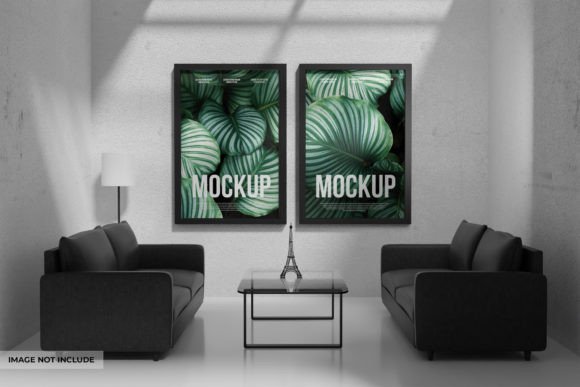
This is where the Super Market Shelf Frame Poster Mockup transforms the workflow. By utilizing high-resolution digital files, typically in PSD (Photoshop) format, creators can place their designs into a photorealistic representation of a store shelf. These mockups act as a virtual laboratory. They allow users to "get an eye on your design before printing," ensuring that the final output will resonate with shoppers. This capability is vital for anyone involved in marketing campaigns, from small local grocery owners to large-scale mall operators.
The Technical Foundation: Smart Objects and Layered Precision
At the heart of these powerful tools lies sophisticated file architecture. A professional mockup is not just a flat image; it is a complex assembly of PSD Layered Files designed for flexibility and ease of use. The magic happens through "Smart Objects." For the uninitiated, a Smart Object is a layer in Adobe Photoshop that preserves an image's source content with all its original characteristics.
When you download a high-quality mockup, such as one featuring dimensions of 3000×2000 px, you are receiving a canvas capable of supporting crisp, print-ready details. The workflow is remarkably user-friendly, even for those who may not be expert graphic designers. The process generally follows these steps:
- Open the File: Launch the mockup in Adobe Photoshop (CS5 or newer is typically required to ensure compatibility with modern smart object features).
- Locate the Smart Object: Navigate through the organized layers panel to find the specific layer designated for your design. Professional files ensure all layers are named logically, such as "Your Design Here" or "Insert Poster."
- Double Click and Insert: Double-clicking the smart object thumbnail opens a separate document window. Here, you paste or place your unique artwork.
- Save and Update: Once you save this embedded file, the main mockup document automatically updates, wrapping your design around the shelf frame with perfect perspective.
This seamless integration means that your design instantly adopts the lighting, shadows, and texture of the real-world environment depicted in the mockup. It creates a sense of authenticity that flat designs simply cannot achieve.
Enhancing Brand Campaigns and Product Launches
The utility of these mockups extends far beyond simple visualization; they are central to Enhanced Brand Campaigns. When launching a new product, consistency is key. A brand might need to visualize how a promotional poster looks across different sections of a supermarket—perhaps in the dairy aisle, the produce section, or near the checkout counters. Using a versatile mockup library allows marketers to create a cohesive narrative across these varied touchpoints without needing to photograph each location physically.
Furthermore, these tools are invaluable for client presentations. Imagine pitching a new marketing strategy to a retail chain executive. Showing them a raw JPEG of a logo is underwhelming. However, presenting a photorealistic image of their brand dominating a supermarket shelf frame creates an emotional connection. It helps the client impress their clients by visualizing success. It answers the question, "What will this look like in the real world?" before the campaign ever goes live.
Customization and Environmental Control
One of the most powerful aspects of premium mockup files is the ability to adjust environmental factors. Real-world lighting is rarely perfect; it can be too harsh, too dim, or cast unwanted color tints. High-end mockups often include adjustment layers that allow users to modify light contrast and apply photo filters.
For instance, if you are simulating a launch in a boutique organic grocery store which typically uses warmer, softer lighting compared to a big-box retailer's bright fluorescents, you can tweak the mockup settings to match that ambiance. This level of control ensures that the simulation is not just accurate, but contextually appropriate. It helps stakeholders understand how the design performs under various conditions, reducing the risk of unpleasant surprises after printing.
Practical Applications Across Industries
While the primary audience includes graphic designers, the reach of shelf frame mockups is broad. Let us explore how different sectors utilize this technology:
- Retail Stores and Supermarkets: Store managers use these to plan planograms and visualize seasonal promotions, ensuring that holiday displays or clearance sales maximize visibility.
- Malls and Shopping Centers: Marketing directors for malls use these to sell advertising space to tenants, showing potential advertisers exactly how their signage will appear in high-traffic zones.
- Grocery Chains: Private label brands use mockups to test packaging and shelf-talkers against national competitors, refining their visual identity to stand out.
- Marketing Agencies: Agencies rely on these assets to speed up their workflow, delivering polished concepts to clients faster and securing approvals with greater confidence.
Common Misunderstandings and Best Practices
Despite their usefulness, there are common misconceptions about using mockups. A frequent assumption is that a mockup can fix a bad design. This is false. A mockup enhances a good design by providing context, but it cannot compensate for poor typography, clashing colors, or unclear messaging. The design itself must be strong.
Another misunderstanding involves technical requirements. Some users attempt to open these files in basic image viewers or outdated software. It is crucial to remember that to edit these mockups effectively, you must have at least Adobe Photoshop CS5. Newer versions offer better performance and compatibility with advanced smart object features. Additionally, users should always work with high-resolution source files. Inserting a low-resolution logo into a 3000x2000 px mockup will result in a pixelated, unprofessional final image.
The Future of Retail Visualization
As technology evolves, so does the sophistication of these tools. We are moving toward an era where static mockups may integrate with Augmented Reality (AR), allowing users to view their designs on actual shelves through smartphone cameras. However, the foundational principle remains the same: the need to visualize before materializing. The Super Market Shelf Frame Poster Mockup stands as a testament to the power of preparation in business.
By organizing layers, enabling easy edits, and providing realistic lighting scenarios, these files empower creators to iterate rapidly. They reduce waste by preventing misprints and foster creativity by allowing designers to experiment with bold ideas risk-free. Whether you are a seasoned art director or a small business owner looking to upgrade your in-store marketing, mastering these tools is a step toward professional excellence.
In conclusion, the journey from a digital concept to a physical shelf presence is fraught with challenges. Yet, with the right resources, this journey becomes a streamlined path to success. By leveraging high-quality, layered PSD mockups, businesses can ensure their brand not only fits on the shelf but truly shines. Thank you for exploring the potential of these dynamic tools; may your future campaigns be as impactful visually as they are strategically sound.