Evaluating the Wall Logo Mockup for Professional Brand Presentations
In the realm of graphic design and brand identity, the presentation of a logo is often just as critical as the design itself. A Wall Logo Mockup serves as a vital tool for designers, marketers, and business owners who need to visualize how a brand mark will appear in a physical environment. These digital templates allow users to superimpose their designs onto realistic wall surfaces, providing a tangible sense of scale, texture, and lighting without the need for physical prototyping. By utilizing a high-quality mockup, stakeholders can evaluate the aesthetic impact of a logo before committing to manufacturing or installation costs.
Understanding the Utility of Realistic Effects
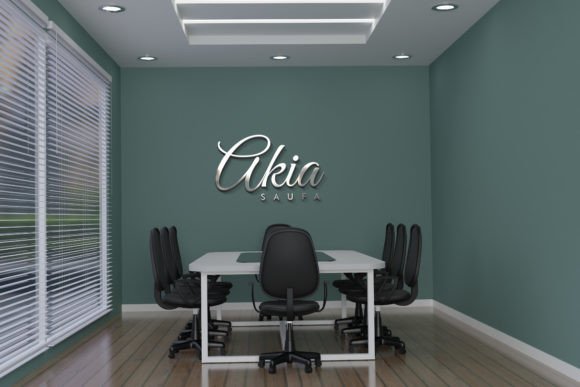
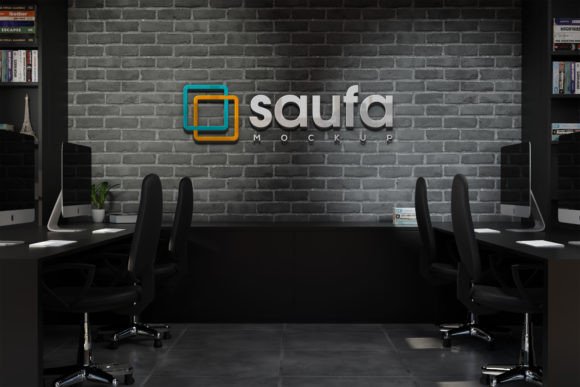
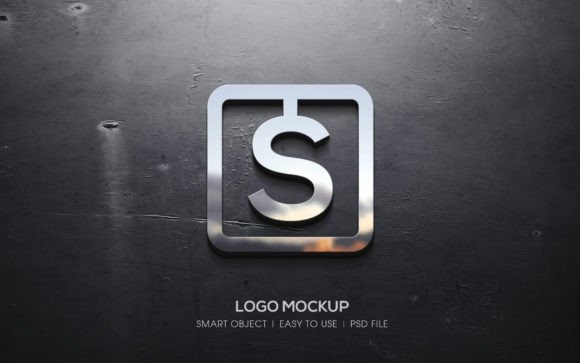
The primary function of a wall logo mockup is to bridge the gap between a flat digital file and a three-dimensional reality. Modern mockups have evolved significantly, moving beyond simple image overlays to include sophisticated rendering techniques. When evaluating a specific pack, one should look for realistic effects that mimic real-world physics. This includes shadows cast by the logo onto the wall, ambient occlusion where the sign meets the surface, and reflections that correspond to the material of the logo itself.
Many contemporary packs offer a variety of perspectives, ranging from straight-on views to angled shots that emphasize depth. This versatility is crucial because a logo that looks balanced head-on might appear distorted or illegible from an angle. Furthermore, the inclusion of various styles with a modern look ensures that the presentation aligns with current design trends. Whether the goal is to present a sleek tech startup identity or a rustic boutique brand, the background and lighting of the mockup must complement the logo's personality rather than overpower it.
Diverse Material Finishes and Styles
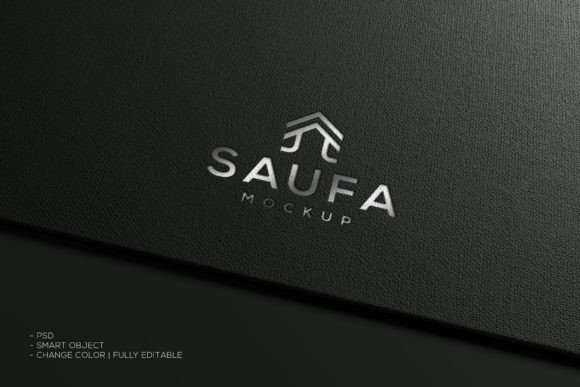
A significant advantage of using a comprehensive mockup collection is the ability to test different material finishes. A single logo design can convey entirely different messages depending on whether it appears to be made of brushed metal, polished gold, matte plastic, or embossed concrete. High-end mockup packs typically include options for 3D effects, allowing the logo to appear as if it is raised from the wall. Other variations might feature embossed textures, where the logo seems carved into the surface, or metallic finishes like silver and gold that react dynamically to the scene's lighting.
This diversity allows for rapid iteration. Instead of creating multiple 3D renders from scratch—a process that requires specialized software and significant time—a designer can toggle between these effects instantly. This capability is particularly useful during client presentations, where exploring different material options can help finalize the direction of a branding project. It provides a low-risk environment to experiment with luxury finishes or industrial looks to see which resonates best with the target audience.
Technical Workflow and Smart Objects
From a technical standpoint, the efficiency of a mockup is determined by its file structure. The most effective tools utilize Smart Objects within layered PSD (Photoshop Document) files. This feature allows users to place their own design with few clicks. By double-clicking the smart object layer, inserting the logo file, and saving, the main document automatically updates with the new design applied to all the complex lighting and texture effects. This workflow preserves the integrity of the original mockup while ensuring the user's artwork is integrated seamlessly.
When assessing a product, attention should be paid to the organization of layers and folder names. An organized file structure saves time and reduces frustration, especially when working with large files. Specifications such as a size of 4000 x 2500 pixels indicate a high-resolution output suitable for large-format printing or high-definition digital displays. While a resolution of 72 DPI is standard for screen display, the sheer pixel dimensions ensure that the image remains sharp even when viewed on retina displays or cropped for social media portfolios. A pack that includes both a PSD and a JPEG offers flexibility; the PSD is for editing, while the JPEG serves as a quick preview or a ready-to-use asset for non-designers.
Situations Where This Tool Is a Strong Fit
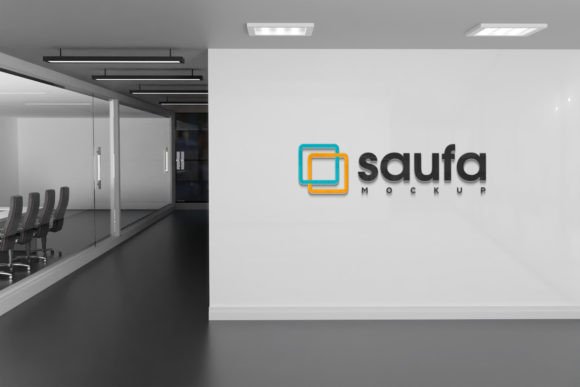
A wall logo mockup is an ideal solution for several specific scenarios. First, it is indispensable for branding agencies presenting concepts to clients. Showing a logo on a generic white background often fails to inspire confidence, whereas placing it on a textured office wall helps the client visualize the end result. Second, it is highly effective for portfolio development. Designers seeking employment or freelance work need to demonstrate how their identities function in the real world. A well-executed mockup adds a layer of professionalism and context to a portfolio piece.
Additionally, businesses planning physical signage can use these tools for preliminary approvals. Before ordering expensive fabricated signs, a company can use a realistic mockup to gauge how the logo looks against their actual office interior or storefront facade. This acts as a cost-effective proof of concept, potentially preventing costly mistakes in color selection or sizing.
Considerations and Potential Tradeoffs
While wall logo mockups are powerful, they are not a universal solution for every visualization need. One tradeoff to consider is the limitation of the pre-set environment. A mockup represents a specific lighting condition and wall texture. If a client's actual office has unique lighting or a specific wall color that differs vastly from the mockup, the final installed sign may look different than the presentation. In such cases, custom 3D modeling or on-site photography might be necessary for absolute accuracy.
Furthermore, reliance on mockups can sometimes lead to a "cookie-cutter" aesthetic if the same popular templates are used repeatedly across different projects. To maintain uniqueness, users should modify the color grading or combine elements from different sources. It is also important to note that while smart objects simplify the process, they still require a basic understanding of Adobe Photoshop. Users without access to this software or the skills to navigate layered files may find the PSD format inaccessible, making the included JPEG less useful for customization.
Making the Decision
Deciding whether to invest in a specific wall logo mockup pack depends on your immediate goals and technical capabilities. If you require a top-quality 3D realistic presentation to elevate a client pitch or enhance a design portfolio, the benefits of a fully layered, high-resolution PSD are substantial. The ability to switch between gold, silver, and embossed effects quickly provides a level of versatility that justifies the learning curve associated with smart objects.
However, if your needs are strictly for low-fidelity wireframing or if you lack the software to edit PSD files, simpler alternatives or vector-based placeholders might suffice. Ultimately, a high-quality mockup is an investment in communication. It translates abstract design concepts into concrete visual realities, facilitating better decision-making for both designers and stakeholders. By selecting a pack with organized layers, diverse perspectives, and realistic lighting effects, you ensure that your brand identity is presented with the clarity and impact it deserves.