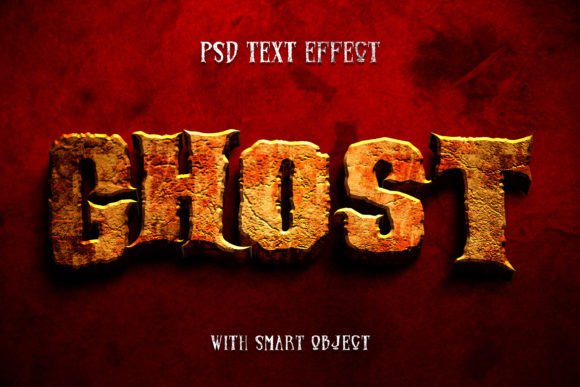
Ghost Halloween Text Effect: Spooky 3D Typography
Creating professional-looking typography for seasonal projects often feels like a steep learning curve, especially when you are trying to capture a specific mood like the eerie atmosphere of Halloween. The Ghost Halloween Text Effect solves this challenge by offering a pre-designed, high-quality style that instantly transforms flat text into something haunting and three-dimensional. Instead of spending hours mastering complex layer styles, blending modes, and filters in Photoshop, you can achieve a polished result in minutes. This resource is designed for creators who value their time but refuse to compromise on visual quality.
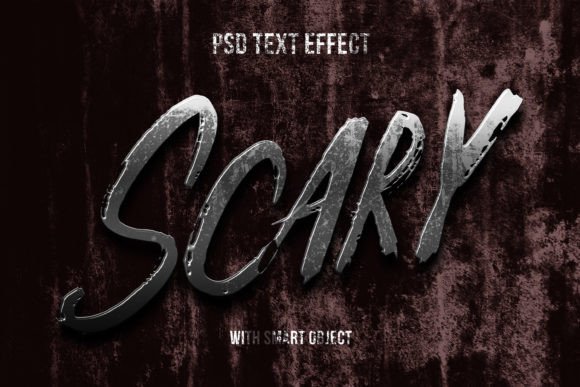
At its core, this graphic resource provides a quick and easy possibility to apply a sophisticated effect style to your text, artwork, or logo. Whether you are a seasoned graphic designer looking to speed up your workflow or a small business owner handling your own marketing materials, the simplicity of the tool is its greatest asset. The effect mimics the look of spectral energy or chilled vapor, giving your words a tangible presence that pops off the screen or page. It is not just about making text look "scary"; it is about adding depth, texture, and a professional finish that grabs attention immediately.
Why This 3D Typography Stands Out
The appeal of the Ghost Halloween Text Effect lies in its versatility and technical construction. Unlike simple overlays that can look cheap or pixelated, this effect utilizes advanced smart object technology. This means the 3D typography retains its crispness and detail regardless of how you manipulate the underlying content. The high resolution of 3000x2000 pixels ensures that your designs remain sharp whether they are viewed on a high-definition monitor or printed on large format materials.
What truly sets this apart is the organization. The file comes with well-organized layers, making it incredibly easy to edit even for beginners. You do not need to hunt through a maze of unnamed groups to find where to change your text. Everything is logical, intuitive, and ready for customization. With 100 editable options available within the structure, you have significant control over the final look without needing to build the effect from scratch. This balance between automation and customization is rare in free or low-cost graphic resources.
Practical Uses for Your Projects
The applications for this type of text effect are vast, spanning both digital and physical mediums. For digital marketers and social media managers, creating eye-catching visuals during the Halloween season is crucial for engagement. You can use this effect to create stunning Facebook covers, YouTube thumbnails, or Twitter headers that align perfectly with the spooky theme. A channel trailer or a promotional video intro featuring this ghostly 3D text can significantly boost click-through rates by signaling to the audience that your content is timely and relevant.
In the realm of web design, these elements serve as excellent website elements or hero banners. Imagine a landing page for a haunted house attraction or a Halloween sale event; having a title that looks like it is floating in mist adds an immersive quality to the user experience. Similarly, for email marketing campaigns, inserting a banner with this typography can make your promotion stand out in a crowded inbox.
Beyond the digital sphere, the high resolution makes it suitable for print. Entrepreneurs selling merchandise can apply this design to T-shirt designs and clothing lines. A hoodie featuring a glowing, ghostly brand name created with this effect can become a best-seller during the autumn months. Event organizers can utilize it for poster designs, flyers, and placards to advertise parties, concerts, or community gatherings. Even traditional greeting cards benefit from this touch, turning a simple "Happy Halloween" message into a piece of art.
Ideal for Logos and Branding
One of the most powerful uses of this resource is for temporary branding or thematic logo presentations. If you run a podcast, a gaming clan, or a creative studio, you might want to release a special Halloween edition of your logo. By simply replacing your vector logo into one of the smart objects and clicking save, your brand identity instantly adopts the seasonal theme. This consistency across your touchpoints—from your website header to your movie titles or cartoon intros—strengthens your brand recognition while keeping your content fresh.
How to Edit and Customize
The beauty of this Ghost Halloween Text Effect is its user-friendly editing process. You do not need to be a Photoshop expert to get great results. The workflow is straightforward:
- Open the PSD File: Launch the included Photoshop file, which contains all the necessary layers and effects pre-configured.
- Locate the Smart Object: Look for the layer marked as a smart object. This is the placeholder for your content.
- Insert Your Content: Double-click the smart object icon. This opens a new tab where you can paste your simple text, shapes, or vector logo.
- Save and Update: Once you have placed your design, simply save the smart object file. Return to the main document, and you will see your content automatically wrapped in the high-quality ghost effect.
This non-destructive editing method means you can try out different fonts, logos, or shapes as many times as you like without degrading the image quality. It encourages experimentation, allowing you to find the perfect combination of shape and texture for your specific project.
Things to Consider Before You Start
While this tool is designed to be easy, there are a few practical considerations to keep in mind to ensure the best results. First, consider the complexity of the shape or text you are inserting. While the effect works on simple text and vector logos, extremely intricate details might get slightly lost in the heavy texture of the ghost effect. Bold, clean fonts and distinct logo shapes generally yield the most legible and impactful results.
Secondly, think about the background you plan to use. The ghostly nature of the text often involves semi-transparent elements or glowing edges. These features shine brightest against darker backgrounds. If you place this text on a pure white background, some of the subtle atmospheric details might not be as visible. Testing your final composition on various background colors is a good practice to ensure maximum contrast and readability.
Finally, remember that while the file is high resolution, scaling it up significantly beyond its original dimensions for massive billboards might require checking the pixel density. However, for standard web use, social media, and typical print sizes like flyers or t-shirts, the 3000x2000 PX resolution is more than sufficient.
Ultimately, the Ghost Halloween Text Effect is more than just a filter; it is a productivity booster that empowers creators to produce professional-grade seasonal content effortlessly. Whether you are designing a movie title, a promotional banner, or a custom gift, this resource provides the artistic foundation you need to make your project stand out. With just one PSD file and a clear instructions set, you have everything required to bring your spooky ideas to life.