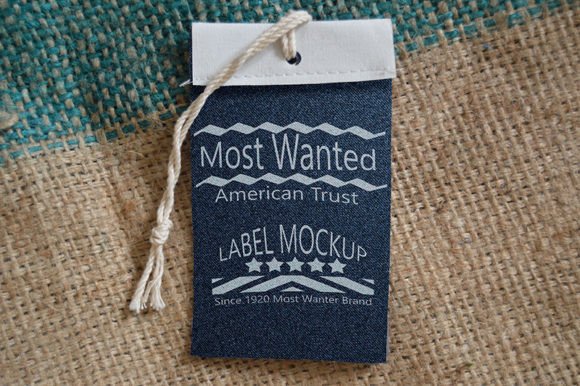
Elevate Your Brand with a Premium Jeans Label Tag Mockup
In the competitive world of fashion design and apparel branding, first impressions are everything. Before a customer ever touches the fabric of your latest denim creation, they see your branding. This visual introduction often happens online, in lookbooks, or on social media feeds where high-quality imagery is the currency of trust. This is precisely where a professional Jeans Label Tag Mockup becomes an indispensable tool for creators, entrepreneurs, and marketers alike. It bridges the gap between a flat digital design and a tangible, realistic product representation, allowing you to showcase your work with the polish of a major retail brand without the overhead of a full-scale photoshoot.
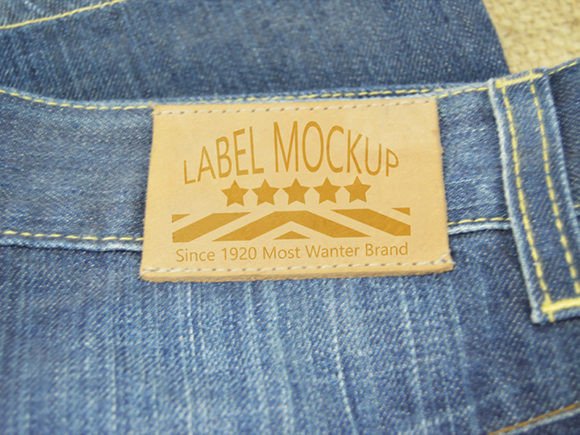
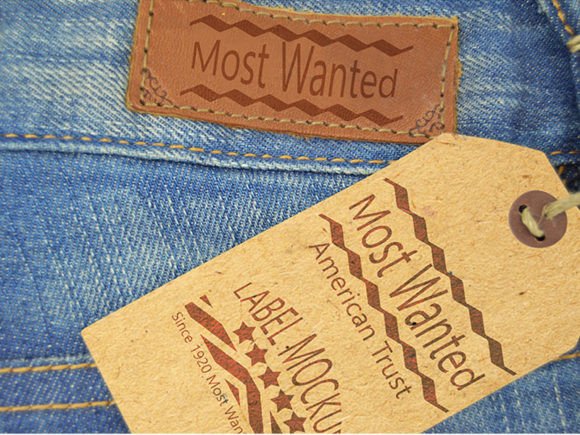
At its core, this mockup is a ready-made apparel presentation file designed to save you significant time and production resources. Instead of sourcing raw denim, sewing prototype labels, hiring a photographer, and editing lighting conditions, you can achieve photorealistic results in minutes. The specific utility of this tool lies in its ability to contextualize your logo or care label within the rugged, textured environment of genuine denim. Whether you are a freelance graphic designer presenting a concept to a client, a small business owner launching a clothing line, or a marketing professional creating assets for an e-commerce store, the efficiency gained here is substantial.
Technical Excellence and Key Features
The value of any mockup depends heavily on its technical specifications, and this particular resource stands out due to its high-resolution capabilities. Delivered as a 4500×3000 px PSD layered file, it offers more than enough pixel density for large-format printing, high-definition web displays, and detailed zoom-ins on product pages. The resolution ensures that when your design is placed onto the tag, it retains crisp edges and clarity, avoiding the pixelation that often plagues lower-quality templates.
One of the most critical aspects of this file is its reliance on Smart Objects. For those unfamiliar with advanced Photoshop workflows, Smart Objects act as non-destructive containers for your artwork. To edit this mockup, you simply need Photoshop CS5 or any newer version. The process is intuitive: you locate the designated Smart Object layer, double-click it, insert your flat design file, save, and the mockup automatically updates. This seamless integration means you can test dozens of color variations, font choices, or logo placements in the time it would take to set up a single camera shot.
Furthermore, the file includes two distinct jeans textures. Denim is not a uniform material; it varies wildly in weave, wash, and color. Having options allows you to match the mockup to your specific product line. Whether your brand focuses on raw, dark indigo denim or distressed, light-wash streetwear, having texture variety ensures your branding looks authentic. Additionally, all layers within the file are meticulously organized and named. This level of organization is a hallmark of professional-grade assets, allowing users to easily toggle shadows, highlights, or background elements to fine-tune the final image.
Practical Applications Across Industries
The versatility of a Jeans Label Tag Mockup extends far beyond simple image generation. Its applications span various professional and creative environments, offering tangible benefits in communication and branding.
- E-Commerce and Retail: Online shoppers cannot physically inspect products. High-quality mockups provide the visual fidelity needed to convey quality. Using this tool on product pages can reduce return rates by setting accurate expectations about label placement and material feel.
- Client Presentations: Freelance designers often struggle to sell a logo concept on a white background. Placing that same logo on a realistic jeans tag helps clients visualize the end result, increasing approval rates and speeding up the project timeline.
- Social Media Marketing: Platforms like Instagram and Pinterest are visually driven. Posting "behind the scenes" development shots or teaser campaigns using these mockups can generate buzz before a product even hits the manufacturing floor.
- Educational Portfolios: Students and educators in fashion design programs can use these files to create professional portfolio pieces. It demonstrates an understanding of how graphics interact with physical materials, a key skill in the industry.
Enhancing Brand Perception and Efficiency
The primary benefit of utilizing this asset is the dramatic improvement in perceived brand value. A poorly lit photo of a physical prototype can make a premium brand look amateurish. Conversely, a sharp, well-lit mockup generated from a 300 DPI source file signals professionalism and attention to detail. This psychological impact is crucial for startups trying to establish credibility in a saturated market.
From a productivity standpoint, the time savings are undeniable. Traditional photography requires scheduling, equipment setup, lighting adjustments, and post-processing. With this Jeans Label Tag Mockup, the turnaround time shifts from days to minutes. This efficiency allows teams to iterate faster. You can experiment with different tag shapes, stitching colors, or fabric washes instantly. This rapid prototyping capability fosters creativity, as the barrier to testing new ideas is significantly lowered.
Considerations for Implementation
While the tool is powerful, getting the best results requires a thoughtful approach. First, ensure your source design file is vector-based or high-resolution raster. Since the mockup itself is 300 DPI, feeding it a low-quality logo will negate the benefits of the high-res template. Second, pay attention to the lighting and perspective of the mockup relative to your other brand assets. Consistency is key; if your entire catalog uses bright, flat lighting, a moody, high-contrast jeans mockup might look out of place unless used intentionally for a specific campaign.
It is also worth noting the software requirement. While Photoshop CS5 is the minimum, using the latest Creative Cloud version may offer additional blending modes or smarter object handling that can further refine the output. However, the compatibility with older versions ensures that freelancers or small businesses with legacy hardware can still access professional-grade tools.
Ultimately, integrating a Jeans Label Tag Mockup into your workflow is a strategic move. It combines technical precision with creative flexibility, allowing you to present your apparel branding in the best possible light. By leveraging these ready-made resources, you focus less on the logistics of photography and more on what truly matters: designing great products and building a compelling brand story. Whether you are refining a single label or rolling out a full collection, this tool provides the foundation for visuals that resonate with your audience and stand the test of scrutiny.