Elevate Your Denim Brand: The Essential Guide to Jeans Leather Label Mockups
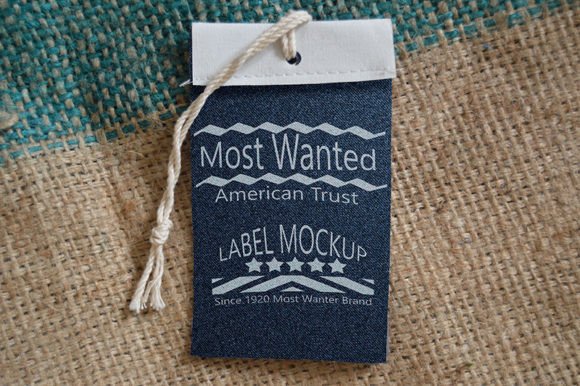
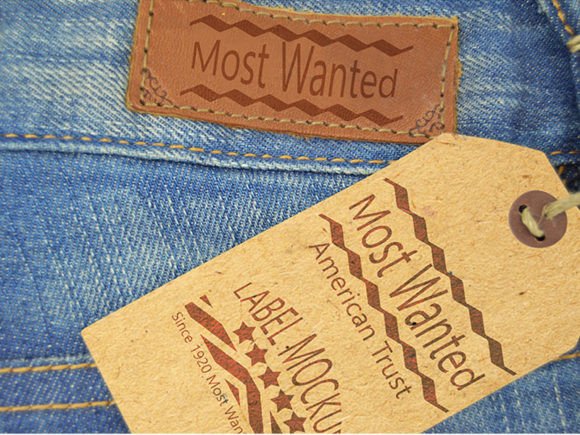
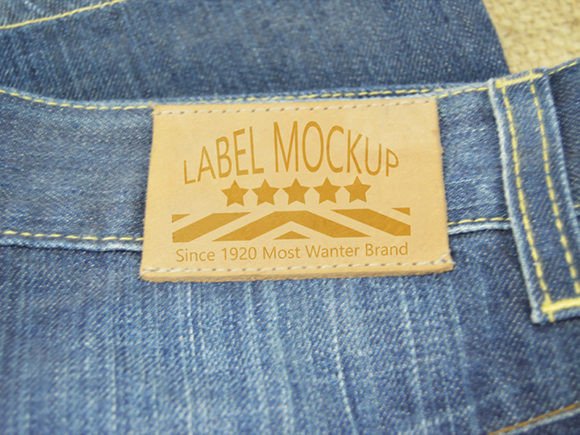
In the competitive world of fashion, particularly within the denim industry, details matter more than almost anything else. While the cut of the jeans and the quality of the fabric are paramount, the branding elements often serve as the final seal of authenticity and luxury. Among these elements, the leather label—often called a "jacron" or back patch—is iconic. It is the billboard of the garment, sitting prominently on the waistband. For designers, brands, and freelancers, presenting this label effectively before physical production begins is crucial. This is where a Jeans Leather Label Mockup becomes an indispensable tool in your creative arsenal.
A mockup is not merely a digital image; it is a bridge between a conceptual design and a tangible product reality. By utilizing a high-quality, ready-made apparel mockup, you gain significant time and streamline your production workflow. Instead of sewing a prototype, photographing it under perfect lighting, and editing the photos for hours, you can visualize your design in minutes. This article explores the purpose, significance, and practical application of these digital tools, helping you understand why they are a must-have for modern creatives.
Understanding the Purpose and Significance
At its core, a Jeans Leather Label Mockup is a template file, typically in PSD (Photoshop Document) format, that allows you to superimpose your 2D logo or artwork onto a photorealistic 3D representation of a jeans waistband. The significance of this tool lies in its ability to provide immediate visual feedback.
Consider the traditional process: A designer creates a logo, sends it to a manufacturer to be embossed or printed on leather, waits for the sample, and then realizes the font size is too small or the contrast is poor against the brown leather. This cycle wastes weeks and money. With a digital mockup, you can iterate endlessly. You can test different colors, textures, and placements instantly. This capability is vital for brand identity development, ensuring that when the final product hits the shelves, it looks exactly as intended.
Furthermore, in the age of e-commerce and social media marketing, visuals are currency. Before a single pair of jeans is manufactured, you need assets for your website, Kickstarter campaign, or Instagram feed. A high-resolution mockup provides these assets immediately, allowing you to start building hype and securing pre-orders without holding any inventory.
Key Features of a Professional Mockup
Not all mockups are created equal. To truly benefit from this technology, one must look for specific technical specifications that ensure professional results. When searching for the perfect Jeans Leather Label Mockup, keep the following features in mind:
- High Resolution: Look for files that offer at least 4500×3000 pixels. This ensures that your images remain crisp even when viewed on high-definition retina displays or printed in large formats for lookbooks.
- Smart Object Layers: This is the engine of the mockup. Smart objects allow you to double-click a layer, paste your design, save, and have it automatically warped and textured to fit the leather surface perfectly.
- 300 DPI Print Quality: Whether for web or print, 300 dots per inch is the standard for professional clarity, ensuring no pixelation occurs.
- Adjustable Lighting and Contrast: Realism comes from light. A good mockup allows you to tweak the lighting environment to match your brand's mood, whether it's a bright, airy studio look or a moody, rugged aesthetic.
- Organized Layer Structure: Time is money. Files with clearly named and grouped layers make the editing process intuitive and fast.
How It Fits Into Modern Workflows
The integration of digital mockups into modern business and creativity cannot be overstated. For small business owners and independent designers, resources are often limited. Hiring a professional photographer for every new design variation is prohibitively expensive. A ready-made apparel mockup democratizes high-end presentation, allowing a solo entrepreneur to produce imagery that rivals major fashion houses.
In the realm of education, these tools are invaluable for students learning graphic design or fashion merchandising. They provide a safe sandbox to experiment with texture mapping and spatial awareness without the cost of materials. Similarly, in corporate settings, marketing teams use these mockups to present concepts to stakeholders. Being able to show a client exactly how their logo will look on a distressed leather patch facilitates faster decision-making and approval processes.
Step-by-Step: How to Use Your Mockup
Using a professional mockup is surprisingly straightforward, even for beginners. However, understanding the technical requirements ensures a smooth experience. Here is a logical guide to getting your design ready:
- Check Your Software: Ensure you have Adobe Photoshop installed. Specifically, you must have at least version CS5 or newer. Older versions may not support the advanced smart object filtering required for realistic texturing.
- Open the PSD File: Launch your mockup file in Photoshop. Take a moment to explore the layers panel. You will notice groups named "Background," "Shadows," "Highlights," and most importantly, "Smart Object" or "Your Design Here."
- Edit the Smart Object: Locate the smart object layer. It usually has a small icon in the corner of the thumbnail. Double-click this icon. This action opens a new tab containing a flat, blank canvas.
- Insert Your Design: Place your logo or artwork onto this canvas. Ensure your design is high quality (preferably a PNG with a transparent background or a vector shape). Resize it to fit within the designated guidelines if provided.
- Save and Update: Press Ctrl+S (Windows) or Cmd+S (Mac) to save the smart object file. Close this tab and return to the main mockup file. You will see your design instantly applied to the leather label, complete with wrinkles, stitching shadows, and texture.
- Final Adjustments: Use the adjustment layers provided in the main file to tweak the brightness, contrast, or color balance to perfectly suit your brand palette.
Common Misunderstandings and Clarifications
Despite their utility, there are common assumptions about mockups that can lead to frustration. One frequent misunderstanding is that a mockup replaces the need for a physical prototype entirely. While mockups are excellent for visualization and marketing, they cannot replicate the tactile feel of the material. The way light hits real embossed leather differs slightly from a digital simulation. Therefore, while mockups save time in the design phase, a physical sample is still necessary before mass production to verify material quality and durability.
Another assumption is that any image file will work seamlessly. In reality, the quality of your output depends heavily on the quality of your input. If you insert a low-resolution, pixelated logo into a 4500×3000 px mockup, the result will look unprofessional. Always start with vector files (AI, EPS, SVG) or high-resolution raster images to maintain clarity.
Additionally, some users believe that complex lighting adjustments require advanced photography skills. However, modern mockups are designed with user-friendliness in mind. The "Adjust light contrast" feature mentioned in many premium templates is often a simple slider or a set of pre-configured adjustment layers, making it accessible for users with basic Photoshop knowledge.
The Broader Impact on Creativity and Business
The availability of high-quality resources like the Jeans Leather Label Mockup signifies a shift in how we approach product creation. It lowers the barrier to entry for aspiring fashion brands, fostering a more diverse and innovative market. When designers spend less time on tedious photo editing and more time on conceptualization, the overall quality of design in the marketplace improves.
From a sustainability perspective, digital prototyping reduces waste. By finalizing designs digitally, brands reduce the number of physical samples that are produced, shipped, and eventually discarded. This aligns with the growing demand for eco-conscious practices in the fashion industry.
In conclusion, a Jeans Leather Label Mockup is far more than just a digital file; it is a strategic asset. Whether you are a seasoned art director or a novice entrepreneur, mastering this tool empowers you to present your vision with clarity and professionalism. By leveraging high-resolution, layered PSD files with smart object capabilities, you gain the efficiency needed to thrive in today's fast-paced digital landscape. Remember, the devil is in the details, and with the right mockup, your brand's details will shine brighter than ever.