Mastering Visual Presentations with the Poster Photo Frames Mockup
In the digital age, where visual communication often speaks louder than words, the ability to present designs in a realistic and compelling context is paramount. Whether you are a graphic designer showcasing a new branding campaign, a photographer displaying a portfolio, or a business owner marketing a product, the medium through which your work is viewed can significantly impact its reception. This is where the Poster Photo Frames Mockup becomes an indispensable tool. It bridges the gap between a flat digital file and a tangible, real-world application, allowing creators to visualize their work exactly as it would appear in a physical space.
The Power of Context in Design Presentation
Imagine spending hours perfecting a typography layout or curating a series of photographs. You export the final JPEG, send it to a client, and wait for feedback. Often, the response is lukewarm because the client struggles to envision how this flat image translates to a wall in an office, a lobby, or a home. Human brains are wired to understand objects within an environment. A design floating in white space feels abstract; that same design framed and hanging on a textured wall feels real, valuable, and achievable.
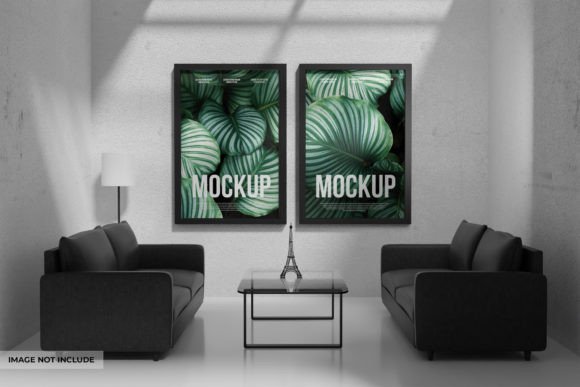
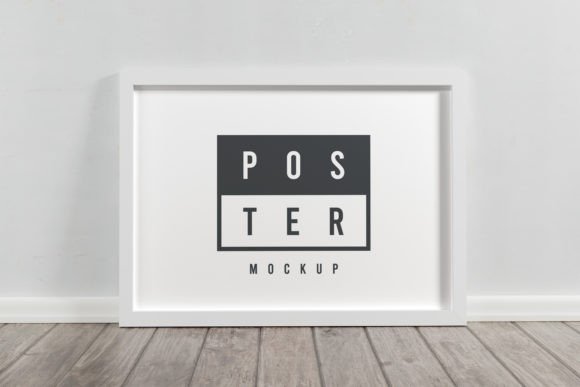
The Poster Photo Frames Mockup solves this visualization problem effortlessly. By utilizing high-quality 3D rendering techniques, these tools provide a photorealistic backdrop that adds depth, lighting, and texture to your presentation. They do not merely display your image; they enhance it by placing it in a context that suggests quality and professionalism. When a potential customer sees your artwork in a sleek frame against a modern concrete wall, they aren't just seeing the art; they are imagining it in their own space.
Understanding the Technology: Smart Objects and Layers
One of the most significant advantages of using a professional mockup file, specifically one in PSD (Photoshop) format, is the underlying technology that makes customization seamless. At the heart of the Poster Photo Frames Mockup is the "Smart Object" feature. For those unfamiliar with technical terms, think of a Smart Object as a magical window. You double-click this window, paste your design inside, save it, and instantly, your design appears perfectly fitted onto the frame in the main scene.
This process eliminates the need for complex masking, perspective warping, or shadow creation. The mockup handles the heavy lifting. The file structure is typically fully layered, meaning every element—from the background wall texture to the glass reflection on the frame—is separate and adjustable. This level of control allows users to:
- Replace label designs or poster art with a single click.
- Adjust the lighting to match the mood of the brand.
- Modify the background to suit different interior styles.
- Fine-tune shadows and highlights for ultimate realism.
The ease of editing via Smart Object ensures that even users with intermediate Photoshop skills can produce studio-quality results in minutes. It transforms a potentially hour-long editing session into a few simple steps, freeing up time for creativity and strategy.
Practical Applications Across Industries
The versatility of the Poster Photo Frames Mockup extends far beyond simple art printing. Its utility spans various sectors, making it a staple in the toolkit of diverse professionals.
For Marketing and Advertising Agencies
Agencies constantly need to pitch concepts to clients before a campaign goes live. Using a mockup allows them to present billboard designs, in-store signage, or event posters as if they were already installed. This helps clients approve concepts faster because the vision is clear. A marketing campaign for a new coffee shop, for instance, gains immediate traction when the promotional poster is shown framed in a cozy, rustic café setting rather than as a digital proof.
For Photographers and Artists
Selling prints online can be challenging when customers cannot touch or see the product physically. By uploading images of their work within the Poster Photo Frames Mockup, artists provide a sense of scale and style. A black-and-white portrait looks dramatically different in a thin metal frame versus a thick wooden one. Mockups allow artists to offer variations, helping buyers make informed decisions about which frame complements their decor.
For Interior Designers and Architects
Professionals in spatial design use these tools to finalize room aesthetics. Before committing to printing large-scale art for a hotel lobby or corporate office, designers can test different compositions and frame styles virtually. This reduces waste and ensures the final installation aligns perfectly with the interior theme.
Evaluating Suitability: Is This Mockup Right for Your Project?
While the benefits are numerous, it is essential to evaluate whether a specific mockup fits your project's needs. Not all mockups are created equal. When selecting a Poster Photo Frames Mockup, consider the following factors:
- Resolution and Quality: Ensure the 3D rendering is high-resolution. Pixelated edges or poor lighting can detract from the professionalism of your presentation. Look for files that offer crisp details in the frame texture and realistic shadow gradients.
- Flexibility: Does the mockup allow you to change the background? A fixed background might limit your usage if your brand requires specific color palettes. Fully layered files offer the freedom to swap out walls, floors, or lighting elements.
- Perspective and Angle: Choose a angle that suits your content. A straight-on view is excellent for detailed informational posters, while an angled perspective adds dynamism and depth, ideal for artistic showcases.
- Compatibility: Verify that the file is compatible with your version of Photoshop and that the Smart Object function works smoothly. A well-organized layer structure is a hallmark of a high-quality asset.
Strengths and Considerations
The primary strength of using a dedicated mockup lies in its efficiency and realism. It democratizes high-end presentation, allowing freelancers and small businesses to compete visually with larger corporations without the budget for a physical photoshoot. However, users must remain mindful of over-reliance. While mockups are fantastic for digital portfolios and initial pitches, they should eventually be supplemented with real photography of the final printed product whenever possible to maintain absolute transparency with end consumers.
Furthermore, understanding the limitations of lighting is crucial. If your design has specific lighting requirements that contradict the mockup's light source, the result may look unnatural. In such cases, the ability to adjust layer blending modes or opacity in Photoshop becomes a necessary skill to harmonize your design with the environment.
Real-World Scenarios: From Concept to Conversion
Consider a scenario where a non-profit organization is launching a fundraising campaign. They have designed a powerful poster featuring impactful statistics and emotional imagery. By placing this design into a Poster Photo Frames Mockup situated in a busy subway station or a community center, they can create social media assets that generate excitement and demonstrate the campaign's potential reach. Donors are more likely to contribute when they can visualize the impact of their support in the real world.
Similarly, an e-commerce store selling customizable wall art can use these mockups to create dynamic product pages. Instead of static images, they can show the same artwork in ten different room settings—living rooms, bedrooms, offices—helping the customer visualize the product in their own home. This contextual selling technique has been proven to increase conversion rates and reduce return rates, as customers have clearer expectations of the final product.
Conclusion: Elevating Your Visual Strategy
In a crowded marketplace, the difference between a good design and a great presentation often lies in the details. The Poster Photo Frames Mockup is more than just a template; it is a strategic asset that enhances communication, builds trust, and inspires action. By leveraging high-quality 3D rendering, editable Smart Objects, and fully layered customization, creators can transform flat files into immersive experiences.
Whether you are refining a marketing campaign, building a portfolio, or selling art online, integrating these mockups into your workflow offers a practical path to professional excellence. They save time, reduce costs, and most importantly, help your audience see the true value of your work. As you move forward with your next project, consider how a realistic frame and a well-chosen background can turn a simple image into a compelling story.